How to Scan a Document
Learn how to scan a document using iPhone, Android, Google Drive, printer scanners, and PDF settings, with quality tips, privacy notes, and FAQs.
Search tasks, problems, steps, tools, platforms or devices.
No close matches. Press Search for broader results.
100 matching guides
Learn how to scan a document using iPhone, Android, Google Drive, printer scanners, and PDF settings, with quality tips, privacy notes, and FAQs.
Learn how to scan a document on iPhone using Notes or Files, adjust corners, save as PDF, share safely, troubleshoot blurry scans, and avoid common mistakes.
Learn how to scan documents on iPhone with Notes or Files, crop pages, save as PDF, avoid blurry scans, troubleshoot issues, and read FAQs.
Learn how to scan documents with Android using Drive, camera, or scanner apps, save as PDF, avoid blurry scans, troubleshoot, and read FAQs.
Learn how to add page numbers in Word, choose placement, start on page 2, format numbers, avoid mistakes, troubleshoot issues, and read FAQs.
Learn how to address a letter with recipient address, return address, apartment numbers, formal greetings, mistakes, troubleshooting, and FAQs.
Learn how to address an envelope with recipient address, return address, stamp placement, apartment numbers, legibility tips, common mistakes, and FAQs.
Learn how to check word count on Google Docs, show live word count while typing, count selected text, avoid mistakes, troubleshoot issues, and read FAQs.
Learn how to compress a PDF safely, reduce file size, protect private documents, check quality, troubleshoot oversized files, and read FAQs.
Learn how to convert JPG to PDF using built-in print/export tools or trusted apps, combine images, protect privacy, troubleshoot quality, and read FAQs.
Learn how to crop a PDF, save a copy, adjust page boxes, protect privacy, troubleshoot printing and margins, and read FAQs.
Learn how to delete a blank or unwanted page in Google Docs, remove page breaks, spacing, and extra paragraphs, troubleshoot, and read FAQs.
Learn how to delete a blank page in Microsoft Word, remove paragraph marks and page breaks, fix section breaks, and troubleshoot stubborn pages.
Learn how to edit a PDF safely, add comments, fill forms, edit text, rearrange pages, protect original files, troubleshoot issues, and read FAQs.
Learn how to fill out a money order with payee name, purchaser details, memo line, signature, receipt tracking, common mistakes, troubleshooting, and FAQs.
Learn how to fill out an envelope with recipient address, return address, stamp placement, mailing tips, common mistakes, troubleshooting, and FAQs.
Learn how to mail a letter with envelope addressing, return address, postage, mailbox options, common mistakes, troubleshooting, and FAQs.
Learn how to make a PDF fillable with text fields, checkboxes, signatures, testing, privacy cautions, troubleshooting, and FAQs.
Learn how to make a table in Word, choose rows and columns, format it, add or delete cells, avoid layout mistakes, troubleshoot, and read FAQs.
Learn how to make a table of contents in Word using heading styles, insert and update it, fix missing headings, and read FAQs.
Learn how to make a timeline in PowerPoint using SmartArt or shapes, organize dates, improve readability, troubleshoot spacing, and read FAQs.
Learn how to password protect a PDF safely, choose a strong password, understand limits, avoid mistakes, troubleshoot access, and read FAQs.
Learn how to prepare for a job interview with company research, STAR stories, questions to ask, outfit planning, tech checks, mistakes, and FAQs.
Learn how to quit a job professionally with notice, a resignation letter, manager conversation, handover checklist, final pay questions, mistakes, and FAQs.
Learn how to rotate a PDF page or full document safely, save a copy, fix sideways scans, avoid privacy mistakes, troubleshoot, and read FAQs.
Learn how to send a fax using online fax, email-to-fax, or a fax machine, with privacy checks, cover sheet tips, mistakes, troubleshooting, and FAQs.
Learn how to shrink PDF file size by compressing images, exporting smaller PDFs, using safe tools, troubleshooting, and avoiding common mistakes.
Learn how to sign a PDF with built-in tools or a trusted editor, place your signature, save a copy, avoid mistakes, troubleshoot, and read FAQs.
Learn how to transform a PDF file to Word using trusted tools, OCR for scans, formatting checks, privacy cautions, troubleshooting, and FAQs.
Learn how to unhide columns in Excel using right-click, Format menu, keyboard shortcuts, Name Box, troubleshooting, mistakes, and FAQs.
Learn how to use Google Slides to create, edit, present, share, and export presentations with common mistakes, troubleshooting, and FAQs.
Learn how to use Microsoft Word to create, format, save, share, and export documents with common mistakes, troubleshooting, and FAQs.
Learn how to wrap text in Excel with the Wrap Text button, row height, line breaks, merged-cell caveats, troubleshooting, and FAQs.
Learn how to write a book with idea selection, audience, outline, writing schedule, first draft, revision, feedback, mistakes, troubleshooting, and FAQs.
Learn how to write a condolence message with sincere wording, what to avoid, examples, timing, support offers, troubleshooting, and FAQs.
Learn how to write a cover letter with a clear structure, opening, tailored examples, mistakes to avoid, troubleshooting, and FAQs.
Learn how to write a letter with purpose, greeting, body, closing, address, tone, proofreading, common mistakes, troubleshooting, and FAQs.
Learn how to write a memorandum with memo heading, purpose, background, action items, tone, practical example, common mistakes, troubleshooting, and FAQs.
Learn how to write a personal statement with prompt analysis, story selection, structure, editing, examples, mistakes, troubleshooting, and FAQs.
Learn how to write a research question by narrowing a topic, testing scope, choosing variables, examples, mistakes, troubleshooting, and FAQs.
Learn how to write a resignation letter with a simple format, final working date, polite wording, handover note, mistakes, troubleshooting, and FAQs.
Learn how to write a resume with sections, bullet formulas, tailoring tips, common mistakes, troubleshooting, and FAQs for job seekers.
Learn how to write a thank you note with greeting, specific thanks, personal detail, closing, examples, mistakes, troubleshooting, and FAQs.
Learn how to write an envelope with recipient address, return address, stamp placement, apartment numbers, international mail, mistakes, troubleshooting, and FAQs.
Learn how to change margins in Google Docs using Page setup or the ruler, apply to the whole document, avoid formatting mistakes, troubleshoot, and use FAQs.
Learn how to get a U.S. passport with eligibility, forms, documents, photo, fees, acceptance facilities, tracking, mistakes, and FAQs.
Learn how to pack a suitcase with outfit planning, rolling vs folding, toiletries, documents, carry-on essentials, mistakes, troubleshooting, and FAQs.
Learn how to plan a trip with destination, budget, dates, documents, transport, accommodation, itinerary, packing, safety, mistakes, and FAQs.
Learn how to use Google Docs with creating documents, formatting, sharing, comments, version history, offline mode, mistakes, troubleshooting, and FAQs.
Learn how to ask for a raise with evidence, timing, salary research, a meeting script, common mistakes, troubleshooting, and FAQs.
Learn how to become a freelancer with skills, niche, portfolio, pricing, clients, invoices, contracts, mistakes, troubleshooting, and FAQs.
Learn how to forward calls with phone settings, carrier codes, iPhone, Android, landline basics, business use, mistakes, troubleshooting, and FAQs.
Learn how to learn to code with language choice, fundamentals, projects, debugging, practice routine, common mistakes, troubleshooting, and FAQs.
Learn how to organize Google Drive with folders, naming rules, search, stars, shared files, cleanup tips, troubleshooting, and FAQs.
Learn how to plan a road trip with route, stops, budget, car checks, packing, lodging, emergency kit, common mistakes, troubleshooting, and FAQs.
Learn how to remove malware with disconnecting, safe mode, security scan, suspicious app removal, password changes, backups, mistakes, and FAQs.
Learn how to use Apple Notes to create notes, folders, checklists, scans, tags, pinned notes, sharing, mistakes, troubleshooting, and FAQs.
Learn how to verify an email address with confirmation links, typo checks, domain checks, test messages, business verification tools, mistakes, and FAQs.
Learn how to become a firefighter with education, fitness, EMT training, applications, academy, interviews, common mistakes, troubleshooting, and FAQs.
Learn how to convert PDF to Word using Word, Acrobat, or online tools, with privacy notes, scanned PDF tips, mistakes, troubleshooting, and FAQs.
Learn how to insert emojis on a Chromebook with keyboard shortcuts, right-click menu, on-screen keyboard, common mistakes, troubleshooting, and FAQs.
Learn how to make a hanging indent in Word for citations using Paragraph settings or the ruler, avoid formatting mistakes, troubleshoot, and use FAQs.
Learn how to format a resume with readable sections, spacing, bullet points, file names, common mistakes, troubleshooting, and FAQs.
Learn how to make a cover letter with a simple structure, job-specific examples, mistakes to avoid, troubleshooting, and FAQs.
Learn how to make a resume with the right sections, bullet points, formatting, keywords, common mistakes, troubleshooting, and FAQs.
Learn how to volunteer by choosing a cause, finding trusted opportunities, checking requirements, applying, preparing, avoiding mistakes, and staying reliable.
Learn how to write a case study with goal, subject, interview, problem, solution, results, structure, mistakes, troubleshooting, and FAQs.
Learn how to become an electrician with education, apprenticeship, licensing, safety training, exams, common mistakes, troubleshooting, and FAQs.
Learn how to book a hotel with location, dates, reviews, fees, cancellation rules, payment, confirmation, common mistakes, troubleshooting, and FAQs.
Learn how to clear cache on browsers, phones, and apps, what cache means, what gets deleted, when to clear it, mistakes, troubleshooting, and FAQs.
Learn how to deactivate Instagram from Accounts Center, what temporary deactivation means, how it differs from deletion, privacy checks, mistakes, and FAQs.
Learn how to find a saved WiFi password on your router, Windows, Mac, iPhone, or Android, protect privacy, troubleshoot access, and read FAQs.
Learn how to focus by reducing distractions, choosing one task, using timers, managing phone interruptions, taking breaks, avoiding mistakes, and troubleshooting.
Measure and improve LCP, INP and CLS using field data, PageSpeed Insights, browser tools and focused performance fixes.
Learn JavaScript with a beginner-friendly roadmap, what to learn first, a 30-day practice plan, beginner projects, free resources, common mistakes, and FAQs.
Learn how to organize desk drawers with sorting, decluttering, dividers, cable storage, labeling, mistakes, troubleshooting, and FAQs.
Learn how to pack a suitcase efficiently with outfit planning, rolling, packing cubes, toiletries, weight limits, mistakes, troubleshooting, and FAQs.
Learn how to print from iPhone with AirPrint, printer apps, Wi-Fi checks, test pages, common mistakes, troubleshooting, and FAQs.
Learn how to proofread effectively with a checklist, fresh eyes, read-aloud method, formatting review, mistakes, troubleshooting, and FAQs.
Learn practical ways to protect your privacy online with passwords, app permissions, location settings, updates, browsers, data sharing, mistakes, and FAQs.
Use the official Government of India Udyam portal to complete free, paperless MSME registration and download the certificate.
Learn how to screen record on Mac using the built-in Screenshot toolbar or QuickTime, choose audio options, stop recording, find files, and fix issues.
Learn how to transfer a domain with unlock, authorization code, email access, DNS checks, payment, approval, mistakes, troubleshooting, and FAQs.
Learn how to turn off a pop-up blocker in your browser, allow pop-ups for one trusted site, avoid security mistakes, troubleshoot issues, and read FAQs.
Learn how to uninstall apps on Mac using Launchpad, Finder, built-in uninstallers, leftover files, common mistakes, troubleshooting, and FAQs.
Learn how to use Photoshop as a beginner with workspace basics, layers, selections, adjustments, text, exporting, mistakes, troubleshooting, and FAQs.
Learn how to AirDrop files safely between Apple devices, adjust visibility, send photos, troubleshoot missing devices, and use FAQs.
Learn how to backup your computer with external drives, cloud backups, important files, automatic schedules, restore checks, common mistakes, and FAQs.
Learn how to clear cache on iPhone in Safari, reduce app storage, clear website data, fix slow browsing, avoid mistakes, and answer FAQs.
Learn how to copy and paste on MacBook using Command+C, Command+V, right-click, menu options, clipboard tips, troubleshooting, and FAQs.
Learn how to create a website with purpose, domain, hosting, platform, pages, design, SEO basics, launch checklist, mistakes, troubleshooting, and FAQs.
Learn how to create professional invoices with required details, line items, payment terms, a simple example, GST note for Indian users, common mistakes, troubleshooting, and FAQs.
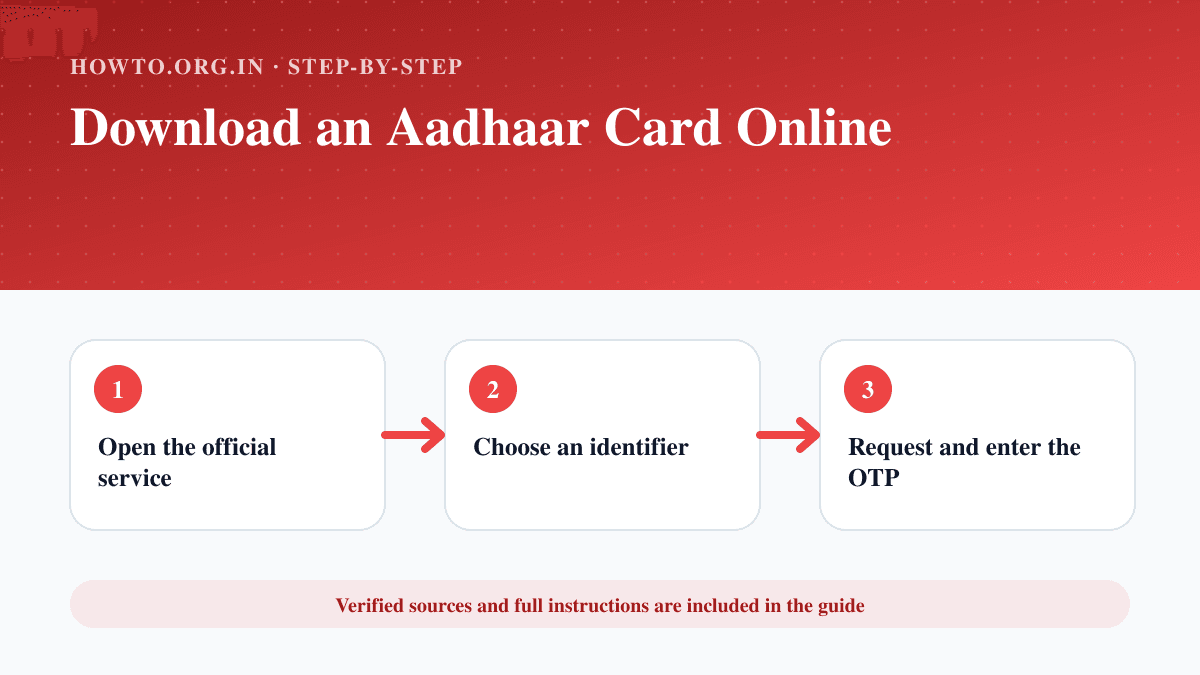
Download an e-Aadhaar from the official MyAadhaar service using Aadhaar, enrolment ID or VID, then verify and store the PDF safely.
Learn how to factory reset a Windows PC, back up files, choose keep or remove everything, avoid mistakes, troubleshoot, and use FAQs.
Learn how to factory reset Windows 11, back up files, choose keep files or remove everything, avoid mistakes, troubleshoot issues, and read FAQs.
Learn how to find a laptop serial number from sticker, settings, command tools, BIOS, packaging, common mistakes, troubleshooting, and FAQs.
Learn how to format an SD card safely, back up files, choose device or computer formatting, avoid mistakes, troubleshoot errors, and read FAQs.
Learn how to reset iPad safely with restart, erase all content, factory restore, backup, Activation Lock, eSIM notes, mistakes, and troubleshooting.
Learn how to restart a MacBook safely, use the Apple menu, force restart if frozen, avoid data loss, troubleshoot restart problems, and use FAQs.
Learn how to screenshot on Windows using Windows-Shift-S, Snipping Tool, Print Screen, window capture, clipboard, save locations, and fixes.